Product Updates
DSCSA Tooling for Small Distributors
Introducing Serialized Inventory Management & EPCIS Shipment Generator.
Introducing Serialized Inventory Management & EPCIS Shipment Data Generator
If you're a small distributor or virtual distributor, you probably don't need a full warehouse management system just to stay compliant with DSCSA.
Sometimes you simply need to receive EPCIS from your suppliers, keep track of serialized inventory, generate outbound EPCIS when you ship product, and move on.
That's exactly why we built our new inventory and shipment data creation tooling.
It isn't intended to replace an ERP or WMS. It's a lightweight tool designed for organizations that handle smaller volumes of serialized pharmaceutical products but still need to exchange EPCIS data with trading partners.
Best of all, it's included at no additional cost for Trust.med customers.
Import Serialized Inventory
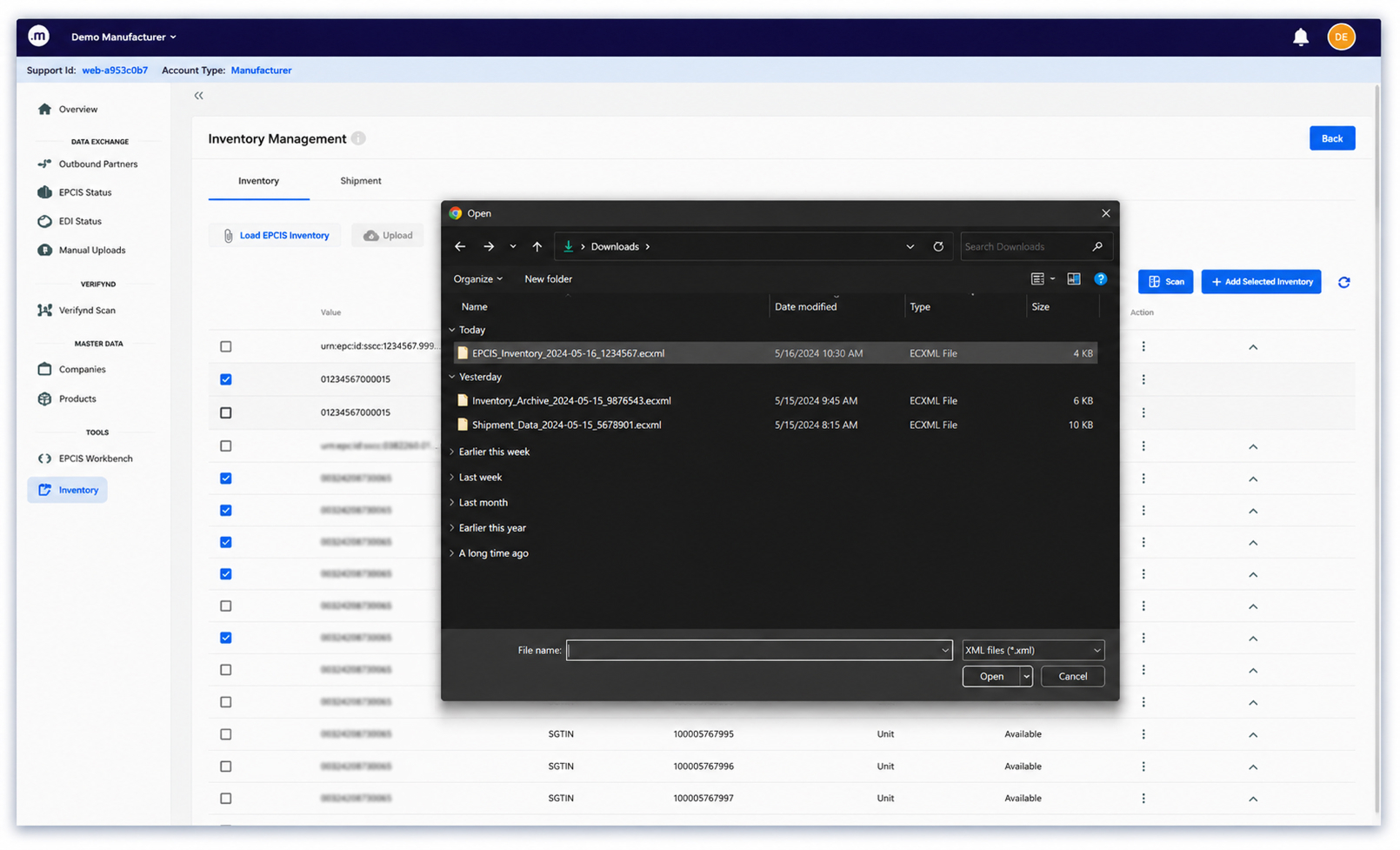
The process begins by loading EPCIS received from your supplier.
Simply upload the inbound EPCIS file and Trust.med imports the serialized products into your inventory, preserving the product hierarchy and serialization information.
What's happening: Inbound EPCIS is processed and every serialized product is added to inventory, ready to be selected for a future shipment.
Build Your Shipment
Select the serialized products that are leaving your inventory.
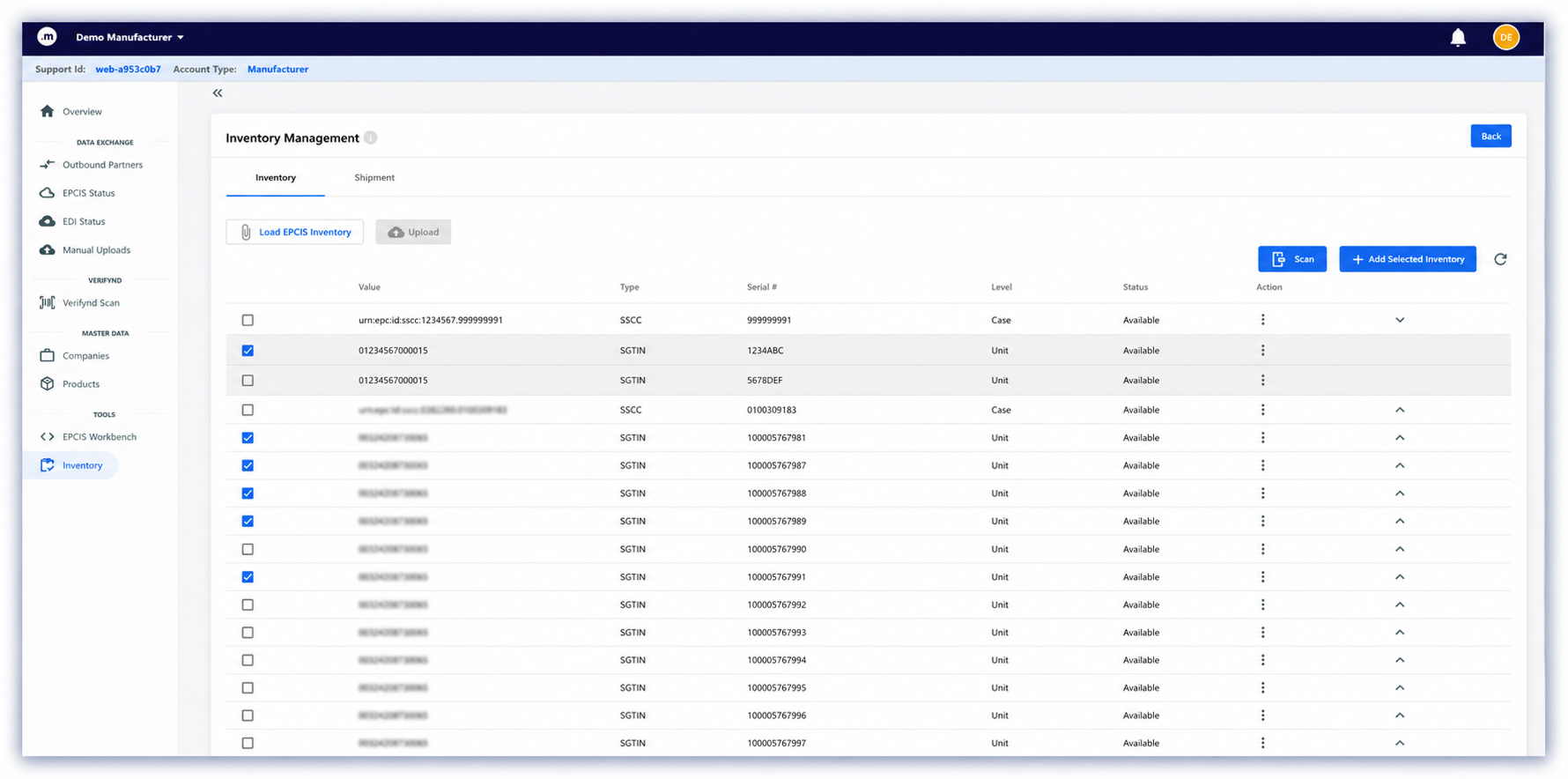
What's happening: The selected serialized products become the contents of a new outbound shipment while remaining in inventory until the shipment is finalized.
Complete Shipment Details
Complete the sender, receiver, shipment details, DSCSA transaction statement, and optional ASN and purchase order fields.
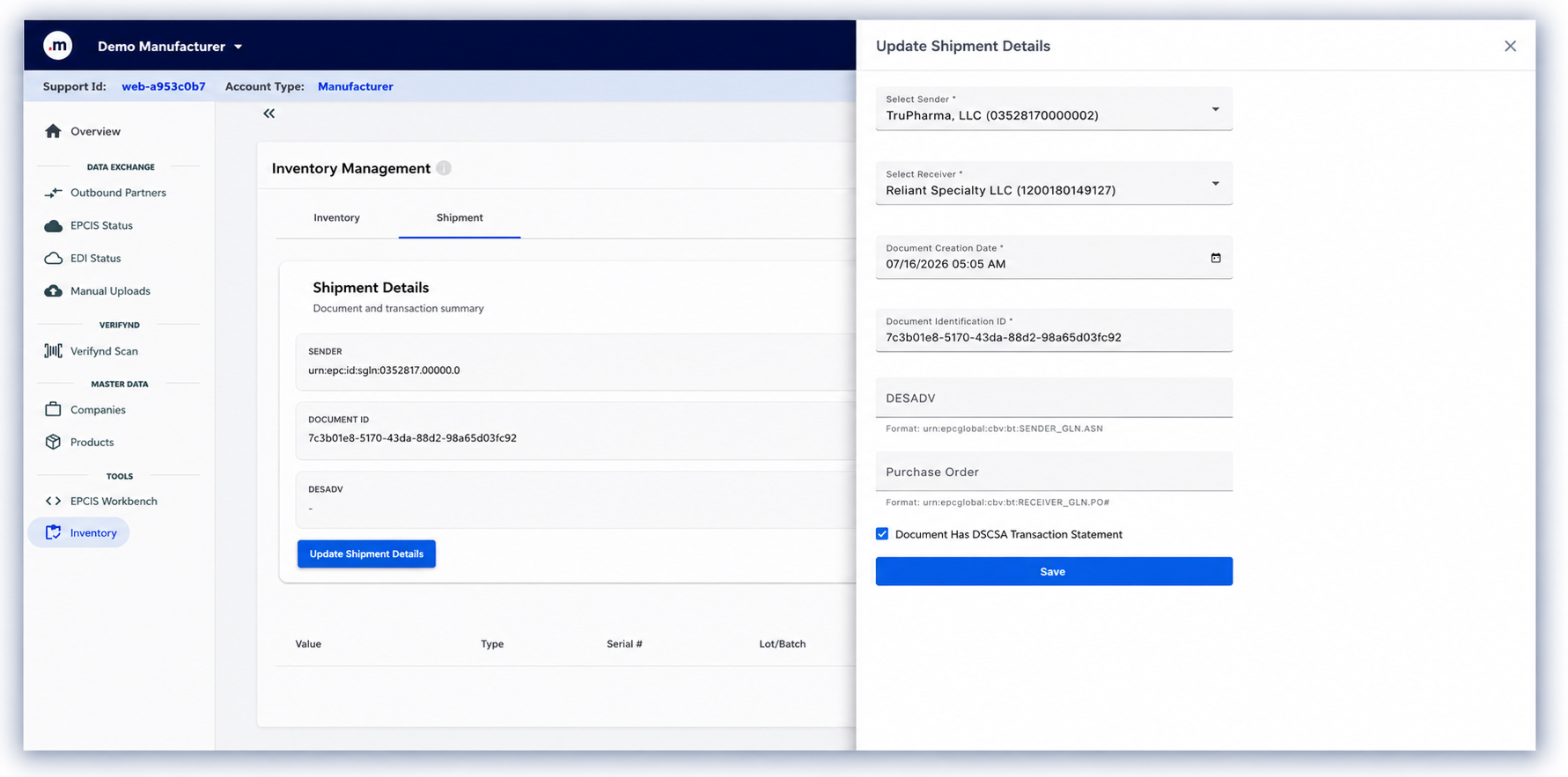
What's happening: These details become part of the EPCIS document that will be shared with your trading partner.
Generate Outbound EPCIS
Generate the outbound EPCIS document with a single click.
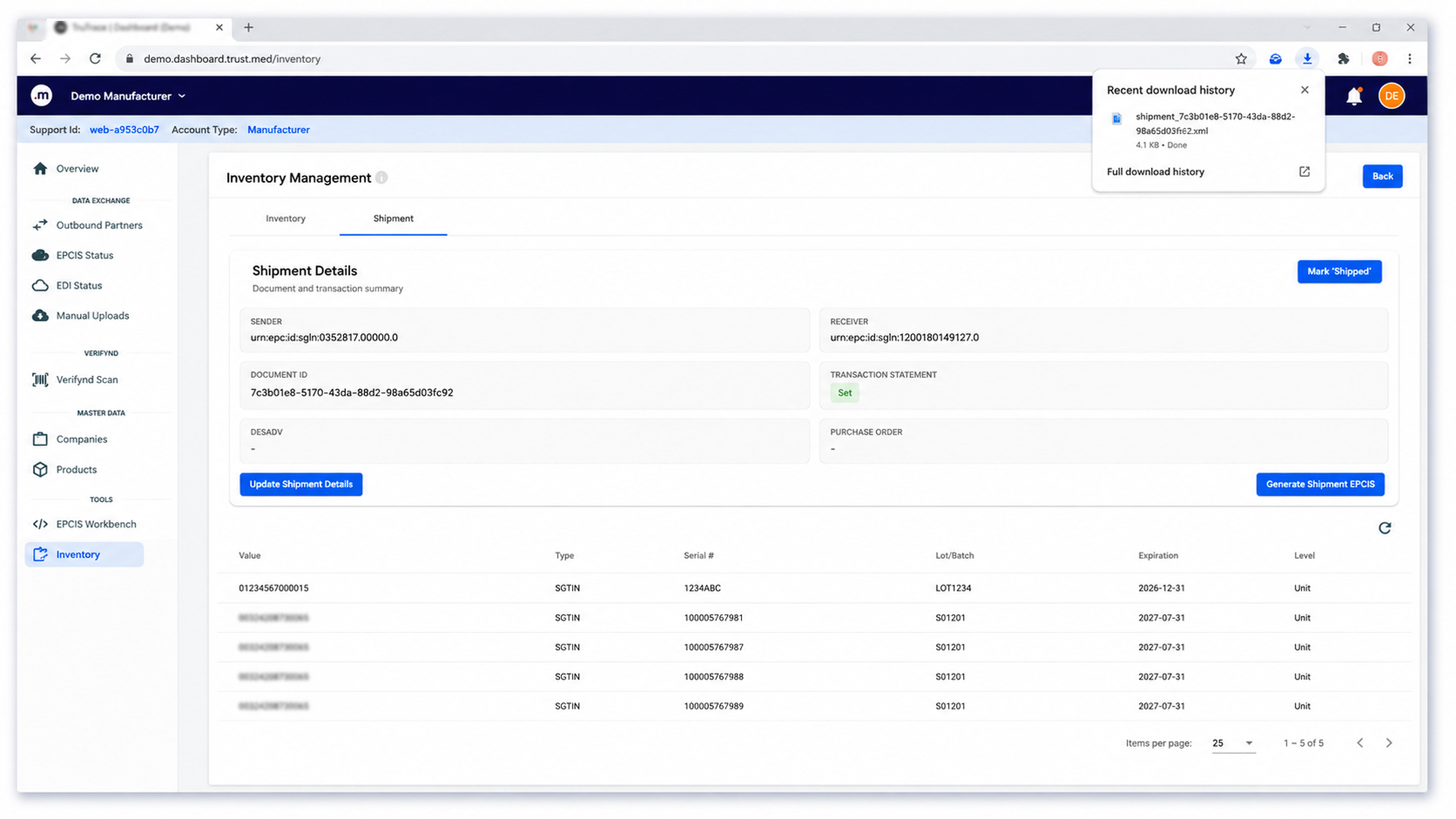
What's happening: An outbound EPCIS document is created and downloaded.
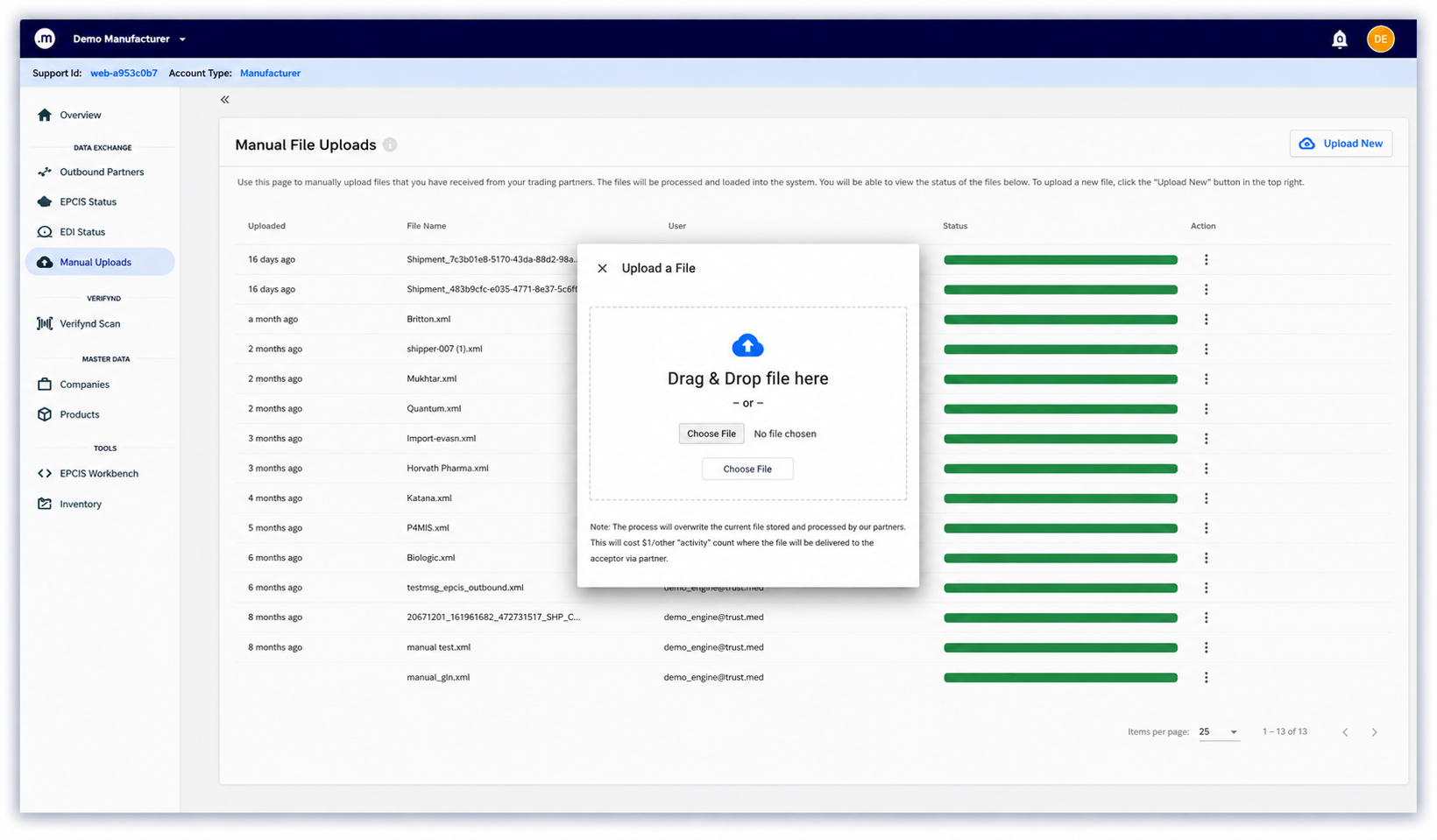
Deliver the EPCIS File
Upload the generated EPCIS into Trust.med Data Exchange where it is automatically routed to the intended trading partner.
Mark the Shipment Complete
Once the shipment has been sent, mark it as shipped.
What's happening: The serialized products included in the shipment are automatically removed from inventory.
A Practical Tool for Smaller Operations
This tool was built for organizations that don't need a complete warehouse management platform but still need to comply with DSCSA serialization requirements.
- Import inbound EPCIS
- Maintain serialized inventory
- Build outbound shipments
- Generate compliant EPCIS
- Keep inventory synchronized
Included at no additional cost for Trust.med customers. Pricing for smaller distributors starts at just $300 / month.
If you'd like to learn more about this tool or our services for DSCSA technical support, trading partner networking, and data exchange please schedule a meeting with our team.
The Connection
Keep up with the systems behind the supply chain.
Get our monthly briefing on pharma data, compliance, and connected systems.